AI presentation maker for enterprise teams

Best AI presentation software for your large team

Transform how your company communicates with clients and stakeholders. Build stunning slide decks instantly with an enterprise presentation platform built for enterprise teams.
illustration
4.6 stars
Based on latest reviews

Simple AI presentation maker built for enterprise needs

Turn data and text outlines into a polished presentation effortlessly. Access corporate AI presentation maker and capabilities that automatically handle the presentation process, saving your organization hours of manual formatting work.

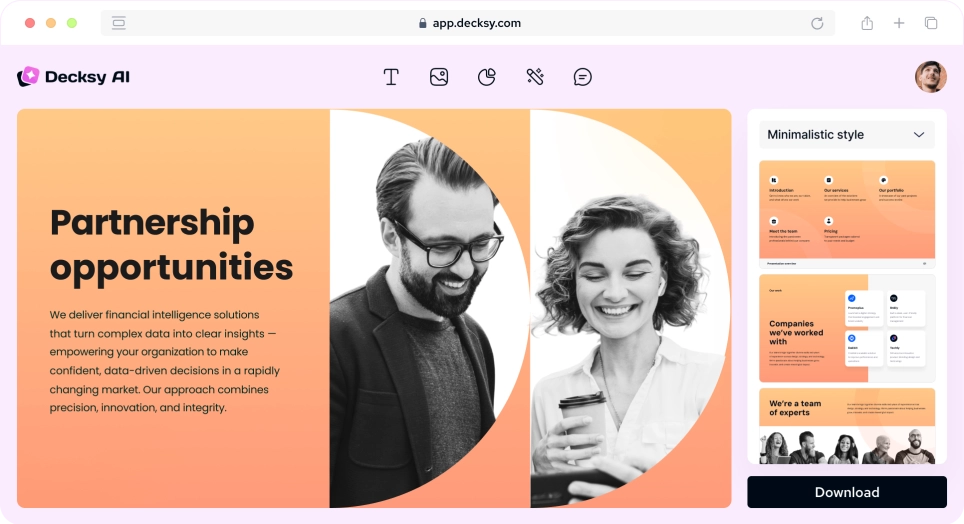
Step 1: Input your configuration prompt

Type your strategy guidelines, text ideas, or specific parameters into the text field. The AI presentation tool immediately reviews your criteria to build a highly aligned first draft.

Create Presentation
AI Decksy presentation maker for enterprise

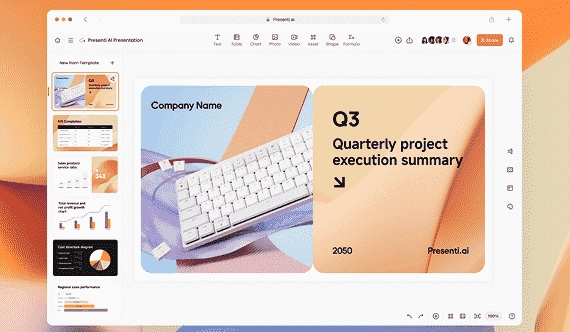
Step 2: Establish the brand voice

Choose your presentation tone (Formal, Casual, Persuasive, or Educational) and configure a specific layout style (Corporate, Minimal, Creative). Define your target page parameters between 5 and 25 slides.
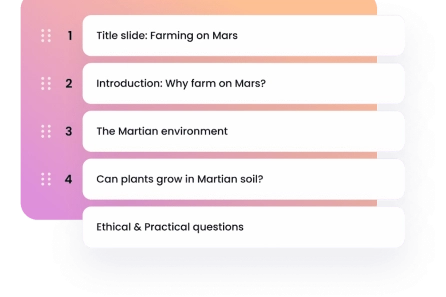
presentation outline Decksy’s AI presentation generator

Step 3: Pick a template from the asset library

Search our comprehensive collection of presentation templates tailored for corporate communication. Select an impactful structure to maintain consistent identity across your entire presentation.
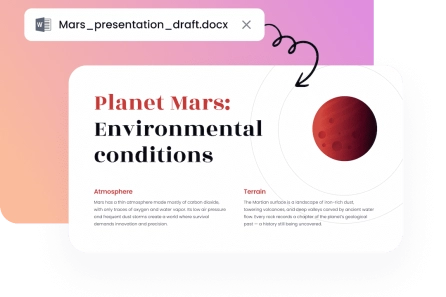
file transformed into an AI presentation

Step 4: Export your full presentation

Our platform completes the configuration pass in seconds. Save the finalized powerpoint file or use our export tool to open the layouts seamlessly in Microsoft PowerPoint or Google Slides.
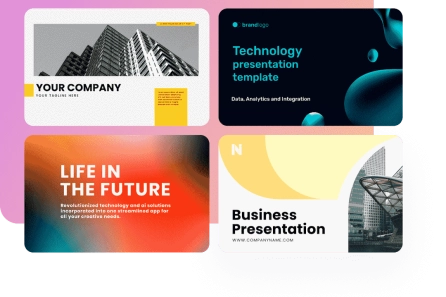
Create Presentation
templates inside the AI presentation maker
Trusted by 50K+ users in the USA
Nexaworks
Dani Renewables
Auro
Crown estates

AI presentation maker for remote teams works in just a few clicks

1

Share your topic

Upload your source files or add the main talking points you want covered. Our easy-to-use platform processes your text input to build relevant layouts based on your parameters.
2

Select your layout

Pick a layout from the AI slideshow maker. The smart structure adapts dynamically to your existing content so that all sections are clean and organized.
3

Download and present

Select the version you prefer, download it in standard PPTX format, and use it across any traditional software that works best for you.
Create presentation with AI

Why choose our enterprise presentation tools?

Equip your cross-functional departments with the right AI presentation tool using enterprise scale security, deep customization controls, and unified asset workflows.
image

Privacy-first enterprise scale approach

Your confidential files stay completely encrypted. Strict security controls ensure only your authorized team members can access data streams during the design process.
image

Rapid generation of beautiful slides

Transform raw copy into cohesive slideshow sets rapidly. The system helps your team save time, allowing them to focus on the content and fine-tune core messaging.
image

Intuitive software platform

Users across all technical skill levels can manage our AI presentation platform sales teams due to clean workspace buttons, chat-based controls, and simple interface navigation.
image

Designer-quality presentation templates

Browse hundreds of enterprise use slide layouts built to remain visually clear, legible, and impactful under any professional business scenario.
image

Cost-effective team collaboration

Empower your departments to generate presentations 10 times faster without hiring expensive agencies. Boost alignment while saving time and budget across workflows.
image

Universal flexibility for enterprise teams

Our software adapts to every operational purpose. Build custom training resources, refine a startup pitch deck, or map out an extensive board presentation effortlessly.
Show more

Create AI presentations with professional template layouts
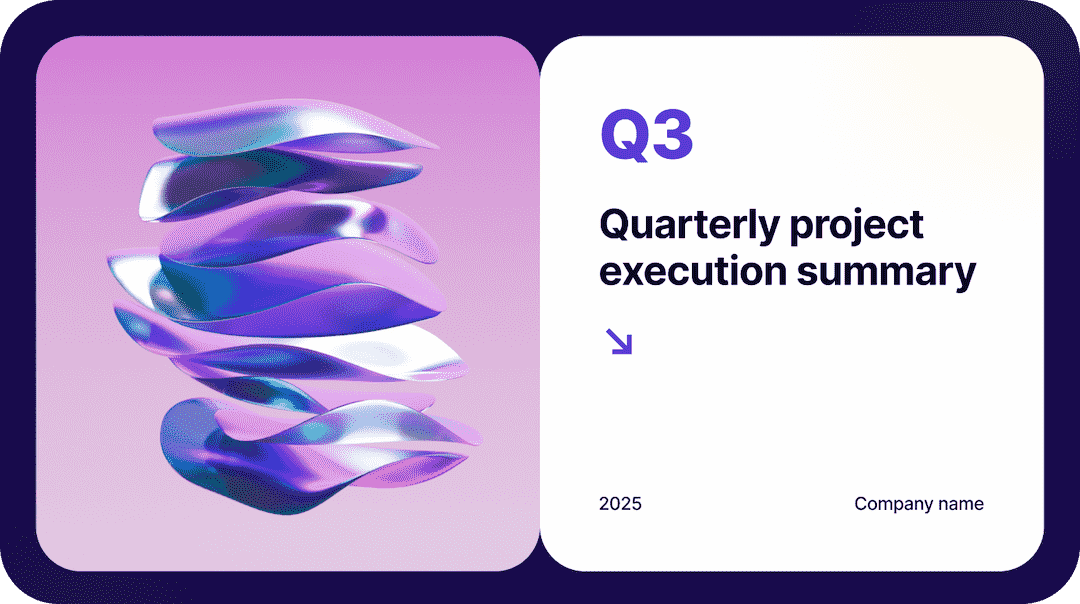
Select a theme from our extensive template collection to map your business text into beautiful slides. Every template is engineered to ensure your enterprise AI presentation looks professionally polished across the entire slide deck.

Corporate
Corporate
Corporate
Corporate
Corporate
Corporate
Corporate
Corporate
Corporate
Corporate
Corporate
Corporate
Corporate
Corporate
faces

Why large enterprise teams already rely on Decksy AI tool

Discover how professionals from different business sectors have completely transformed their presentation workflows, eliminating manual formatting using our AI presentation generator.
5 stars
Recommend!
"Decksy building an AI-generated presentation simple. All of my notes are turned into on-brand slide decks instantly, leaving me feeling fully confident about the work I show to our directors."
user photo
Suzanna G., Digital Marketing Specialist
illustration
Empowers cross-functional teams
"Our regional enterprise teams already use this platform to turn text summaries into visually appealing presentations. The outcomes look good and work exceptionally well during regional stakeholder reviews."
user frame
Janus Y., Enterprise Enablement Lead
illustration
Favorite app for content creation
"It has taken the repetitive grunt work out of creating client presentations. The automated layout variations and ability to upload your own images keep our pitches clean and professional."
icon
Jana K., Digital Creator
illustration
Streamlined internal compliance training
"We constantly update policy parameters that we need to share with employee groups. Instead of manual slide creation, this tool handles the visual adjustments automatically, giving our team professional materials."
icon
Jake G., Compliance Officer
Show more

Pricing

Most popular

Monthly plan

$9.99 / month

$19.99

Start today

7-Days access

$2.00

then $19.99 per month

Start today

Save 65%

Annual plan

$6.99 / month

$19.99

Start today

What's included?
Everything!

Start today
  • AI-powered slide creation across all tiers
  • Over 100 premium presentation templates and vector layouts
  • Complete support for Word files, PDF documents, and text summaries
  • Advanced custom controls over tone, style, and total number of slides
  • Secure file exports to PowerPoint or Google Slides
  • Enterprise-level encryption and private data infrastructure
  • Access to custom font styles, advanced infographics, and visual elements

Frequently asked questions about our AI presentation software

How does this platform compare to beautiful.ai’s AI or Prezent AI?

When it comes to AI presentation tools for teams comparison, unlike Beautiful.ai’s AI or Prezent AI, which work within rigid structural constraints, our AI presentation generator built for scale uses tailored AI models to automatically customize the narrative flow. This delivers a native PowerPoint presentation that matches your real enterprise goals seamlessly. You can also explore free AI presentation tools for simpler projects, but our system is engineered for enterprise workflows.

Is it possible to use AI assistance to modify an existing presentation?

You can upload an existing presentation, a PDF, or a standard PowerPoint file to update its visual structure. Our AI presentation tool makes it simple to generate new sections, incorporate custom AI image generation, or refresh traditional presentation slides into modern corporate layouts in seconds.

Is a free plan available to try out the system?

Yes, we have a basic free plan available that allows users to create one full presentation a day. To unlock unlimited generation, advanced team collaboration, and customized brand controls, you can upgrade your account to one of our premium enterprise plans.

Can I build Google Slides or Figma assets with this tool?

Our system focuses on high-compatibility formats. While it does not support a direct native export to Google Slides or Figma, you can download your file as a standard PowerPoint document and manually upload it to Google Slides seamlessly.

Why should I use AI to make presentation slides?

You can save hours of workflow frustration by choosing to automate your design path. Simply supply your existing content, define your brand parameters, and our presentation creator will handle the visual structure.

What is the best template for my specific project?

Our library features hundreds of premade options, allowing you to find a template that is ideal for your audience. We have styles for students, entrepreneurs, marketing case studies, sales pitches, and corporate training materials.

Is this platform suitable for beginners with no design experience?

Our system is extremely beginner-friendly, and you can co-create presentations. The intuitive workspace ensures that even users with zero design experience can navigate the options and achieve professional results easily.

Can I include custom speaker notes and upload your own images?

You can upload your own images, insert custom graphics, and add specific speaker notes to any layout to ensure the entire output remains strictly on-brand.
Get started

Enterprise teams that need business presentations can use AI to generate them

Try it our for free